CS2 Skins on Mobile: Rarity, Wear and Float
CS2 skins are cosmetic weapon finishes that range from common to extremely rare. This mobile guide explains rarity colours, wear, float and pattern in plain English, with everything sized for reading on a phone.
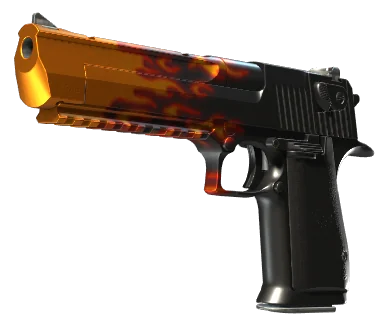
What are CS2 skins?
CS2 skins are purely cosmetic finishes applied to weapons in Counter-Strike 2. They do not change how a weapon performs — a rifle with a rare skin shoots exactly like the default version. What skins offer is personalisation and, because some are scarce, collectability. When you open a case on mobile, the reward is one of these skins, drawn at random from the case's pool according to published odds.
Rarity tiers and colours
Every skin belongs to a rarity tier, and each tier has a colour you will see as a border or glow. From most common to rarest the tiers run roughly: Consumer, Industrial, Mil-Spec (blue), Restricted (purple), Classified (pink), Covert (red), and the special knife and glove items (gold). On a phone these colours are your fastest signal: a quick glance at the border tells you how scarce a drop is before you read anything else. That is why a good mobile case opening site keeps the colours vivid and the borders thick enough to survive screen glare.
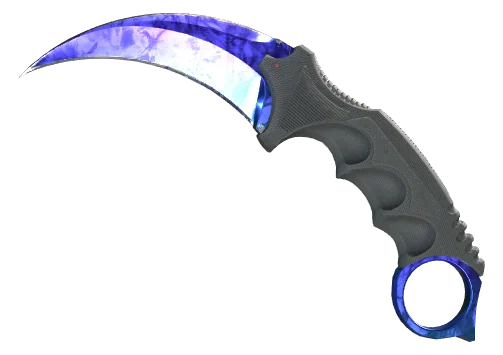
Why knives sit apart
Knife and glove items are special rare drops with their own gold tier. They appear at very low probability, which is why they are so sought after.
Provably fair drops
Many platforms let you verify a drop with a server seed hash and a client seed, so you can confirm a result was not altered.
Wear and float explained
Most skins also have a wear rating, from Factory New down to Battle-Scarred. Behind the wear label sits a float value — a number that describes exactly how worn the finish looks. Two copies of the same skin can have different floats, which is why one Factory New item can look slightly cleaner than another. On mobile, wear matters because small scratches are harder to spot on a phone screen, so checking the wear label is the reliable way to judge condition.
Pattern and rarity of look
Some skins, especially those with randomised patterns, vary in appearance from copy to copy. Certain pattern indexes are prized by collectors. For most players this is a niche concern, but it explains why two skins with the same name and wear can differ in value. Our cases under $5 and cases under $10 guides focus on more accessible skins where pattern is less of a factor.
How skins read on a phone
The single biggest mobile challenge is screen size. A skin that looks detailed on a monitor can lose nuance on a phone. We recommend turning up brightness, viewing drops in the inventory zoom view where available, and trusting the rarity colour and wear label rather than trying to judge fine detail from a thumbnail. With those habits, reading cs2 skins on mobile becomes second nature.
Open a case and see the skins
Confirm 18+ and continue to a live case opening platform.
Continue to cases →Frequently asked questions
Do CS2 skins affect gameplay?
No. Skins are cosmetic only. They change how a weapon looks but never how it performs.
What do the skin border colours mean?
They show rarity. Blue is Mil-Spec, purple Restricted, pink Classified, red Covert, and gold marks special knife and glove items. Rarer colours appear at lower odds.
What is float in CS2 skins?
Float is a hidden number that sets exactly how worn a skin looks. It maps to wear labels from Factory New to Battle-Scarred, and it can vary between two copies of the same skin.
Why are knives so rare?
Knife and glove items sit in a special gold tier with very low drop probability, which is what makes them valuable and sought after.
How can I judge a skin on a small screen?
Trust the rarity colour and wear label, raise your screen brightness, and use any inventory zoom view rather than judging from a small thumbnail.